
Every scaling ecommerce brand hits the same wall eventually. Orders are coming in faster than the team can process them. Exceptions pile up. Someone forgets to route a high-value order to the right carrier. A VIP customer doesn’t get their gift message. A return gets processed incorrectly.
These aren’t people problems. They’re process problems and the fix isn’t hiring your way out of them. It’s automation rules.
This guide explains what automation rules are, where they create the most operational leverage, and how ShipMonk uses them to help growing brands scale without adding headcount or complexity.
What Are Automation Rules in Ecommerce Fulfillment?
Automation rules are if/then logic applied to your order management system. They define what should happen automatically when a specific condition is met — without anyone needing to intervene.
The basic structure: if [condition], then [action].
A few examples of what this looks like in practice:
- If an order contains a fragile item, then assign double-boxing packaging
- If an order value exceeds $200, then require signature confirmation
- If a customer’s shipping address is in Zone 8, then route to the nearest fulfillment center
- If a return reason is “wrong item,” then flag for quality review before restocking
Individually, each of these seems small. But across hundreds or thousands of daily orders, automation rules are the difference between a scalable operation and one that breaks under volume.
Why Manual Processes Break at Scale
Manual processes work when order volumes are manageable. One person can eyeball exceptions, make judgment calls, and catch errors. But as brands grow, the math stops working.
Companies running manual workflows spend significantly more per transaction than those operating on digital, automated systems — and the gap widens as volume increases. At thousands of orders per day, the cost of a manual process isn’t just labor. It’s errors, inconsistency, and the operational drag that comes from people making decisions that a system should be making for them.
The three failure points that show up most often:
1. Order routing errors. Without automation, the wrong carrier gets selected, orders ship from the wrong facility, and split shipments happen unnecessarily — all adding cost and delaying delivery.
2. Exception handling backlogs. Manual exception reviews slow down the entire fulfillment pipeline. Orders sit waiting for a person to decide what to do with them.
3. Inconsistent packaging and handling. Without encoded rules, fragile items get standard packaging, gift orders ship without inserts, and branded kitting gets skipped. These are customer-facing failures that damage brand perception.
The 5 Most Valuable Automation Rules for Ecommerce Brands
1. Order Routing by Location and Inventory
Intelligent order routing automatically assigns each order to the best fulfillment location based on rules you set — proximity, shipping cost, or inventory levels — so your team doesn’t route orders manually.
For multi-warehouse operations, this is the highest-leverage automation available. A brand with fulfillment centers on both coasts can set rules to automatically route West Coast orders to their California facility and East Coast orders to their Florida or Pennsylvania location — cutting transit times and zone costs in a single rule.
2. Carrier Selection Rules
Not every order should go through the same carrier. Automation rules let you set logic like:
- Route orders under 1 lb via USPS First Class
- Route orders over 5 lbs via UPS Ground
- Route expedited orders via FedEx 2-Day
- Route international orders through the optimal customs-clearing carrier
This alone eliminates one of the most common and costly manual decisions in fulfillment operations.
3. Packaging and Kitting Rules
Custom packaging, gift inserts, branded tissue, and special handling instructions need to fire automatically — not rely on someone remembering to check a note in the order.
Automation rules let you encode logic like: if the order contains SKU X and Y together, then apply bundle packaging template 3. For subscription brands, seasonal promotions, and direct-to-consumer gifting, this is critical.
4. High-Value Order Handling
Orders above a certain dollar threshold often need different treatment — more protective packaging, signature confirmation, additional QC review, or carrier selection that reduces theft risk. Without automation, these rules live in someone’s head. With automation, they’re applied consistently to every qualifying order.
5. Return Processing Rules
Workflow automation manages the handoffs between different systems — ensuring that when a 3PL marks an item as out of stock, the storefront updates right away to prevent overselling. The same logic applies to returns: when an item comes back, automation rules can trigger the right inspection workflow, update inventory, generate a restocking task, or flag an item for disposition review — without manual intervention at each step.
How ShipMonk’s Automation Rules Work
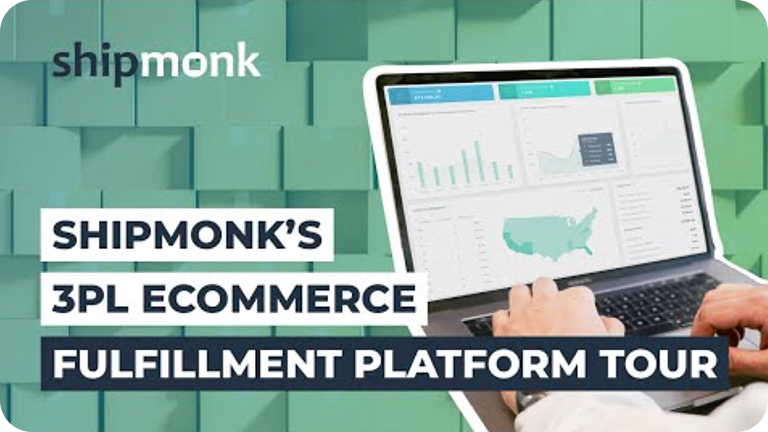
ShipMonk’s platform gives merchants direct control over automation rules through a client-facing dashboard. Rules are configurable without code, and changes take effect across all active orders in real time.
The platform integrates automation rules across three layers:
Order Management (OMS): Rules trigger on order intake — routing, carrier assignment, packaging, priority flagging, and tagging happen before a pick ticket is ever generated.
Warehouse Management (WMS): Rules govern how orders move through the facility — which pick path, which packing station, which QC checkpoint applies to which order type.
Returns Management: Rules determine how returned items are inspected, graded, and reintroduced to inventory — with photo capture and condition grading built into the workflow.
The result is what ShipMonk calls outsourcing logistics, not control. Brands set the rules once. The system applies them consistently, at volume, without exception.
Automation Rules vs. Manual Workflows: What’s the Real Difference?
| Manual Process | Automation Rules | |
|---|---|---|
| Consistency | Depends on the person | 100% — every order, every time |
| Speed | Limited by human throughput | Executes in milliseconds |
| Scalability | Breaks under volume | Scales linearly |
| Error rate | Increases with volume | Stays flat |
| Cost per order | Rises as volume rises | Decreases as volume rises |
The table above is why fast-growing brands that rely on manual fulfillment workflows eventually hit a wall — and why brands that automate early tend to outperform at scale.
Common Questions About Ecommerce Automation Rules
What is an automation rule in ecommerce fulfillment? An automation rule is a programmed if/then instruction applied to your order management system. When a defined condition is met — such as order value, product type, destination, or return reason — the system automatically executes a corresponding action without human intervention.
What kinds of things can automation rules control in a 3PL? Automation rules can govern carrier selection, order routing between fulfillment centers, packaging and kitting assignments, high-value order handling, return processing workflows, inventory restocking triggers, and customer notification timing — among many others.
Do I need to know how to code to use ShipMonk’s automation rules? No. ShipMonk’s automation rules are configurable through the merchant dashboard without any technical knowledge. Rules are set using a plain-language interface and apply to all active orders in real time.
How do automation rules help ecommerce brands scale? AI-powered systems analyze real-time data — including order volumes, traffic patterns, and customer behavior — to make predictive decisions, but even basic automation rules create significant scale leverage by removing manual decision-making from repetitive, high-volume tasks. As order volume grows, the operational savings per order compound.
What’s the difference between order routing rules and carrier selection rules? Order routing rules determine where an order is fulfilled — which warehouse or fulfillment center handles it. Carrier selection rules determine how it ships — which carrier and service level are used. Both can be automated and are often configured together for maximum efficiency.
The Bottom Line
Manual processes are a ceiling. Automation rules are a way through it.
For ecommerce brands scaling past 1,000 orders per month, the question isn’t whether to automate — it’s which rules to set first and how to configure them for your specific operation. ShipMonk gives you the platform to do both, with real-time visibility into how those rules are performing across every order.
See how ShipMonk’s automation rules work for your operation →