Here’s a scenario every operations team knows too well: Your freight order was supposed to ship yesterday. Something didn’t make it onto the truck. Now you’re chasing answers.
Was it a capacity issue? Space constraint? Dock scheduling? Warehouse error? Without visual proof, it becomes a game of email tag between you, your 3PL, and customer service—with no shared source of truth.
We built freight load-out photos to close that gap.
What We Made
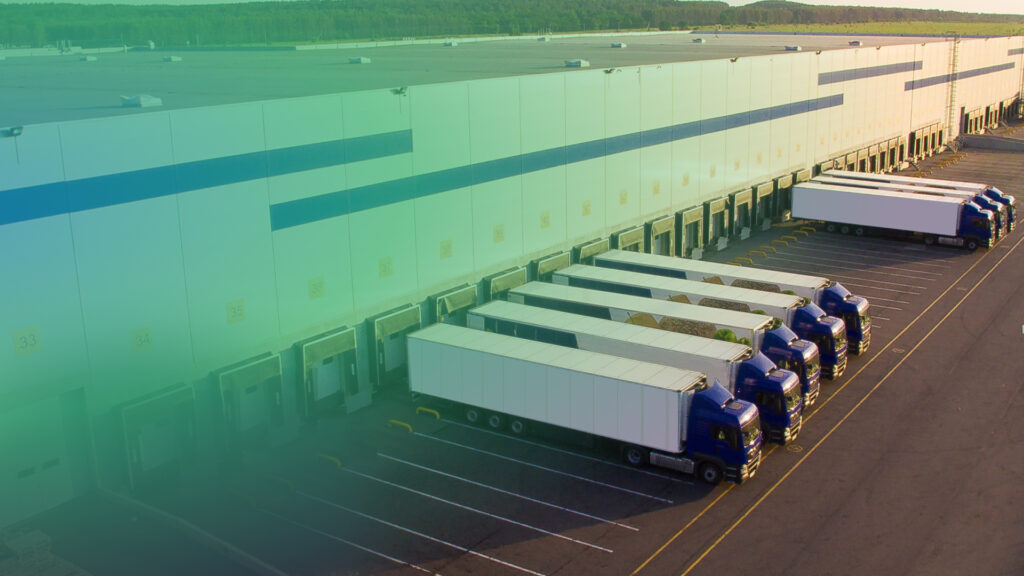
Every LTL and FTL shipment that leaves a ShipMonk facility is now photographed during loadout and uploaded directly to the order details page in your dashboard.
What you’ll see:
- Multi-angle shots of pallets staged for loadout
- Visual confirmation of freight loaded onto the truck
- Timestamped documentation accessible in real-time
No email requests. No waiting for explanations. Just instant, indisputable proof of what left the dock—and how.
Get the proof you need and get a customized quote today.
Why This Matters
1. Shared Source of Truth
When freight doesn’t make it onto a truck, the “why” is immediately clear. Operations teams and merchants now work from the same visual evidence—no more he-said-she-said between departments.
2. Protection Against Unfair Penalties
Truck capacity issues and space constraints are outside your control. Load-out photos provide documented proof that protects you from being penalized for factors you didn’t cause. If a shipment was bumped due to carrier constraints, you have visual evidence to back up that claim.
3. Faster Dispute Resolution
Under ShipMonk’s Perfect Order Program, we financially guarantee compliant B2B shipments. Load-out photos are another layer of proof we use when auditing chargeback claims—if a retailer disputes shipment quality or pallet condition, we have timestamped visual documentation of what left our facility.
Real-World Impact
We tested freight load-out photo visibility with our merchants managing high-volume LTL shipments. The feedback was clear: having direct, in-app visibility into how freight was loaded reduced external follow-ups and created a better merchant experience.
When questions arise, the answer is already in the dashboard, not buried in an email thread.
How It Works
Load-out photos are automatically captured during the freight staging process and uploaded to the order details page.
To view load-out photos:
- Navigate to the Order Detail page for any order that left via LTL/FTL shipment
- Scroll to the “Order Images” tab
- View images showing pallet staging and truck loading
No additional setup required. No charge. This feature is live and native for all ShipMonk merchants with LTL/FTL shipments.
The Bigger Picture
Freight load-out photos are part of ShipMonk’s broader commitment to operational proof infrastructure. We don’t just track shipments, we document them visually at every handoff.
Other proof points available with the ShipMonk Platform:
- Quality Guard: Photo documentation of every non-new return at receiving
- Perfect Order Program: Financial guarantee against chargebacks, backed by documented compliance
When you need to prove what happened, we have the receipts. Because in fulfillment, proof beats promises.