Wholesale Order Tracking
ShipMonk brings every load into one view so your team stays aligned and nothing slips through the cracks.












Other 3PLs
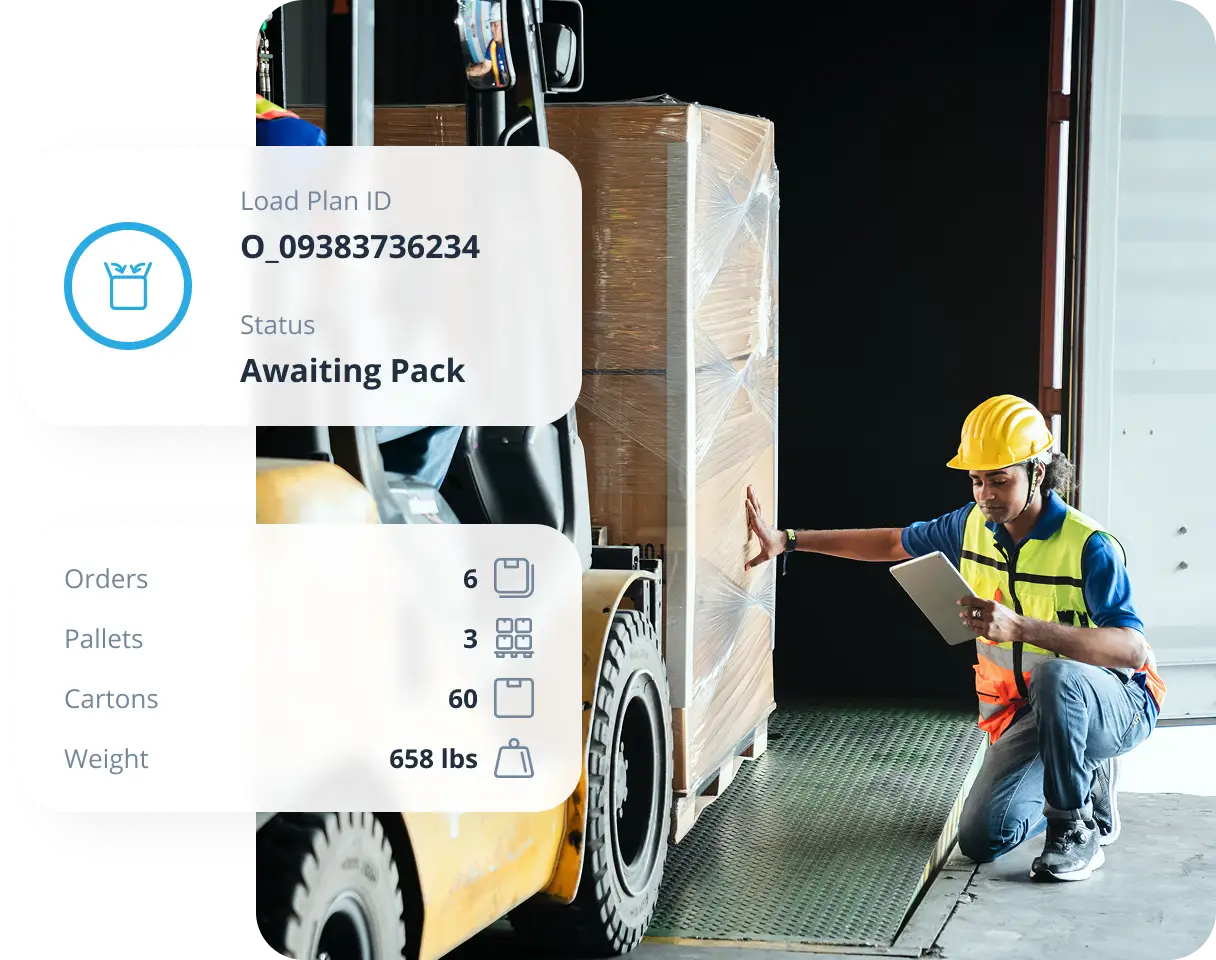
ShipMonk automatically groups wholesale orders into loads by retailer, generates the documentation you need, and keeps your team updated through every stage of fulfillment.

ShipMonk
Load Management groups up to 100 orders into a single load per retailer, with all status, carrier, and milestone details in one place. One notification at load close. No individual order tracking required.

ShipMonk's Load Management tool lets you group wholesale orders into loads by retailer, generates the documentation you need, and keeps your team updated through every stage of fulfillment.
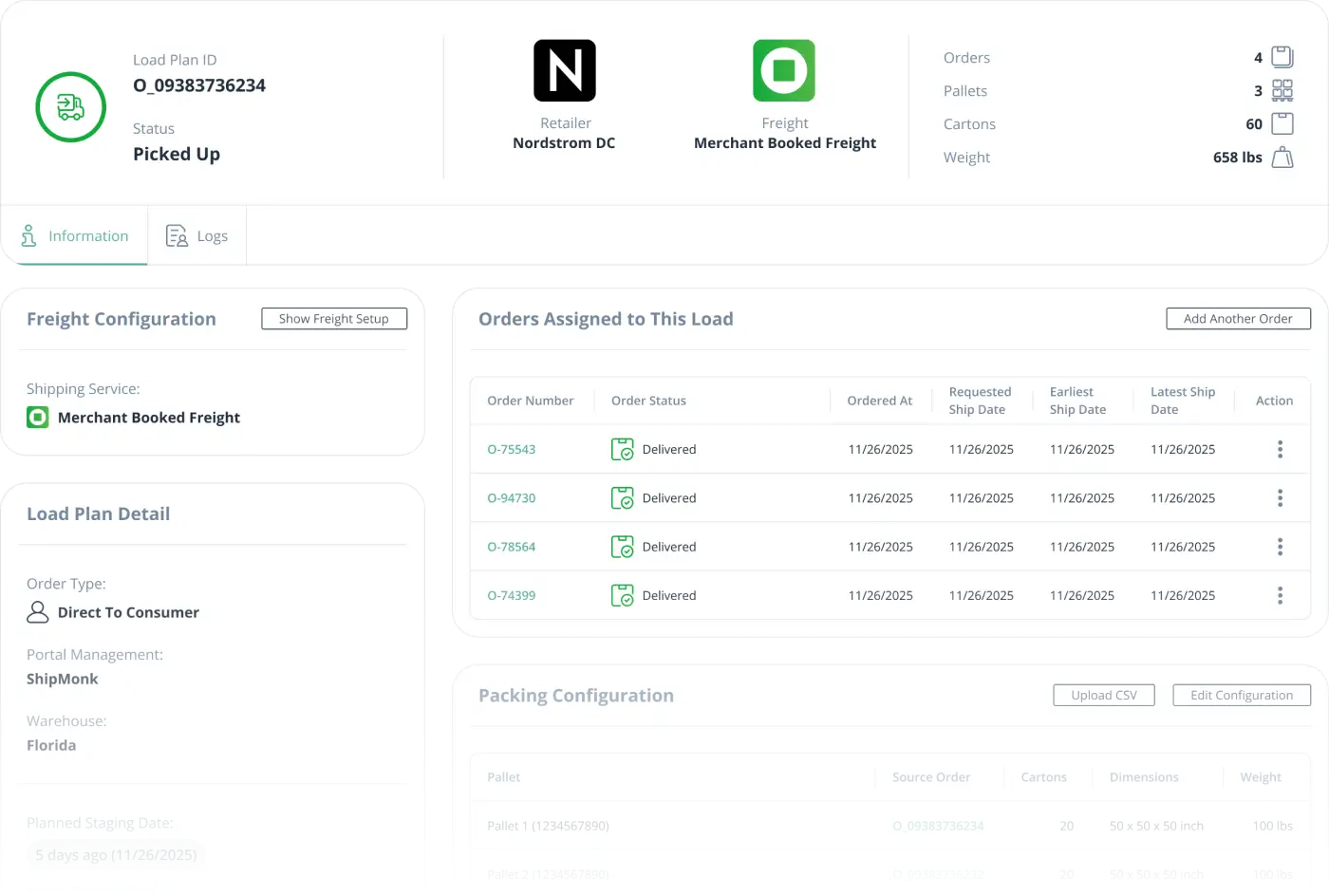
Monitor every load’s status, carrier, and milestones in real time so nothing catches you off guard.
Track each load from pickup through delivery, with visibility into SLA adherence at every stage.
Freight method, SCAC, carrier name, and tracking numbers all at the load level. No toggling between orders.
BOL and PO numbers, unit and carton counts, and pallet totals are aggregated per load for faster, more consistent handoffs.
Filter by account, warehouse, retailer, carrier, SCAC, and more. Export load data for reporting or retailer-facing documentation.
Surface loads by fulfillment stage so your team always knows what needs attention and what’s on track.

Seasonal collections mean tight windows and complex channel mixes. Apparel brands can track wholesale and DTC loads side by side without juggling multiple tools or chasing down statuses.
Learn more →



Tight SLA windows, EDI requirements, and compliance documentation make B2B fulfillment unforgiving for beauty and supplement brands. Load Management keeps every shipment on record and on time.
Learn more →




Shipping pallets to retail distribution centers (like Nordstrom or Target) requires significant coordination. Load Management provides merchants and operations teams with one shared source for status, milestones, and documentation, eliminating spreadsheet fixes, version issues, and constant shipment communication.
Learn more →



When load details are centralized, your team spends less time on status calls and more time executing.
Proactive load visibility helps your team catch issues before they become chargebacks or lost retailer trust.
Each load auto-generates its documentation packet, ready for buyers and retailers without duplicate effort.
Merchants, ops, and fulfillment teams all work from the same load data. No version conflicts, no status confusion.
Wholesale order tracking that lives inside ShipMonk, not alongside it.

What is Load Management in B2B fulfillment?
Load Management is a ShipMonk platform feature that groups wholesale orders into consolidated loads based on destination and routing milestones. Instead of tracking individual purchase orders to the same retailer DC separately, you get a unified view of the entire shipment with status, milestones, carrier details, and documentation all in one place.
How does Load Management help apparel brands with wholesale orders?
For apparel brands shipping seasonal collections to department stores or specialty retailers, Load Management eliminates the fragmentation that comes from managing dozens of purchase orders as separate events. When you have 15 orders all heading to the same Nordstrom DC, you create one load, set milestones once, attach documentation once, and track everything from staging through pickup from a single view. This is especially critical during seasonal drops when routing windows are tight and retailer SLAs have zero tolerance for delays.
What information can I see at the load level?
You can see load status (Awaiting Submission, Awaiting Pack, Awaiting Routing, Awaiting Pickup, Picked Up), planned and actual staging dates, freight method, carrier details (SCAC, carrier name), tracking numbers, BOL and PO numbers, and unit, carton, and pallet counts — all consolidated at the load level so you’re not toggling between individual order records to compile shipping details.
Can I create and manage my own loads in the ShipMonk dashboard?
Yes. From your ShipMonk dashboard, you can create a load, add orders to it, assign milestones, update routing details, and manage it through pickup — all without involving your operations team. Load Management is built for merchants who want direct control over how their wholesale shipments are organized and executed.
How is Load Management different from the standard Orders view?
The standard Orders view shows individual orders in isolation. Load Management groups related wholesale orders into a single load, giving you a higher-level view of routing milestones and execution status across what may be dozens of individual purchase orders shipping together. It’s the difference between tracking 30 separate items and tracking one shipment that contains all 30.
What types of merchants should use Load Management?
Load Management is built for merchants with active wholesale or B2B fulfillment channels — particularly brands that regularly ship high-volume orders to major retail partners like department stores, specialty retailers, and big-box accounts. If you’re shipping pallets to retail distribution centers (Nordstrom, Bloomingdale’s, Target, Ulta, Sephora, etc.), Load Management gives you the operational visibility you need to hit retailer SLAs and avoid chargebacks.
How does Load Management help prevent retailer chargebacks?
Retailer chargebacks often stem from routing delays or documentation errors. Load Management lets you see planned vs. actual staging dates at the load level, so you can identify routing risk before it becomes a compliance problem. When milestones and documentation are consolidated in one place, your team can act on delays instead of discovering them after the fact. For apparel brands dealing with retailers that have strict compliance requirements, that visibility is essential.
Request a Demo