Your inventory audit, live. No black box, no waiting.
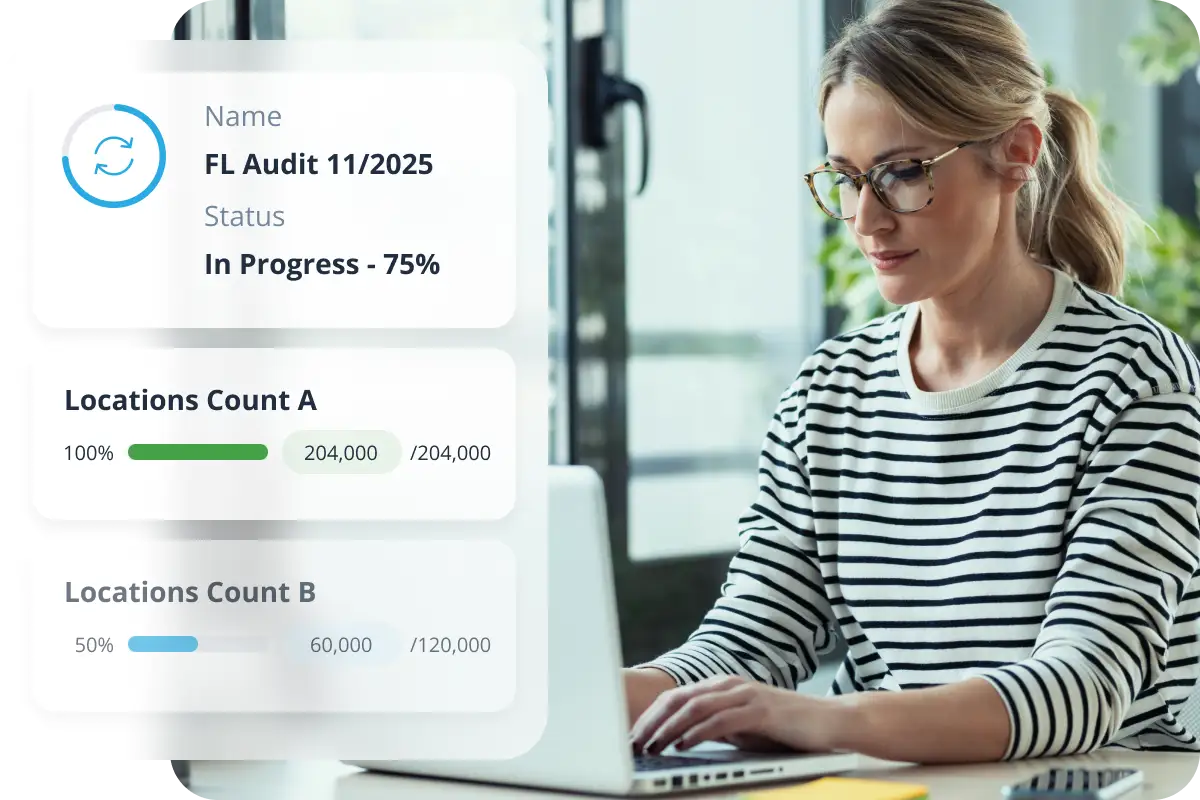
Most 3PLs tell you about your audit after it happens. ShipMonk shows you while it’s happening. Track every count in real time, see SKU-level results as they’re made, and follow your progress — all inside the ShipMonk app.
Customer loyalty starts here – Trusted by the best
Inventory on hold
No progress updates
Support tickets with no reply
Inventory audits shouldn’t feel like a black box
Inventory holds, order delays, and zero visibility. Audits have always meant operational friction. For brands managing high SKU counts, the stakes are even higher. Without insight into progress or expected results, merchants are left guessing or chasing down answers.
ShipMonk built something different
Real-time visibility into every stage of your inventory audit
ShipMonk uses a first, second, and final count methodology, the industry standard for accurate, independently verified results. Each stage is tracked live in your dashboard.
Everything you need to follow your audit
Built for any merchant that can’t afford to guess about inventory
Other 3PLs track your inventory
ShipMonk shows you how it’s counted
Inventory dashboards are common. Live audit visibility isn’t. Most 3PLs show you what you have. ShipMonk shows you how it’s being counted, in real time.
Traditional 3PL
Find out after audit ends
Emailed PDF summary
Support ticket to ask questions
Aggregate totals only
ShipMonk Inventory Audit
Live updates per count stage
Native portal, no email needed
No support ticket required
SKU-level + location-level detail
FAQs
What is the In-App Inventory Audit tool?
It’s a real-time audit tracking feature built directly into the ShipMonk merchant portal. It gives you full visibility into your scheduled physical inventory audits as they happen — including status, count progression, SKU-level results, and location details — without needing to contact your account team.
What is a First, Second, and Final count?
ShipMonk uses a three-count audit methodology, which is an industry-standard approach to ensuring inventory accuracy. The first count establishes an initial number. The second count independently verifies it. The final count resolves any discrepancies between the two. Seeing all three counts in real time means you understand not just the outcome but the process that produced it.
What does it mean when inventory is on hold during an audit?
When inventory is placed on hold, it means those units are being counted and cannot be allocated to orders until the audit resolves. You’ll see the hold status in the app, along with which items are affected, so you can plan accordingly without needing to reach out to support.
Can I export audit results?
Yes. A CSV download is available from the audit detail page. You can use this for your own records, financial reconciliation, or any external reporting requirements.
How often are audits performed?
Audits can be scheduled or triggered reactively when a discrepancy is detected. Your ShipMonk account team can walk you through your audit schedule and what to expect.
Stop the inventory guessing game
Talk to our team about bringing audit visibility into your fulfillment operation